
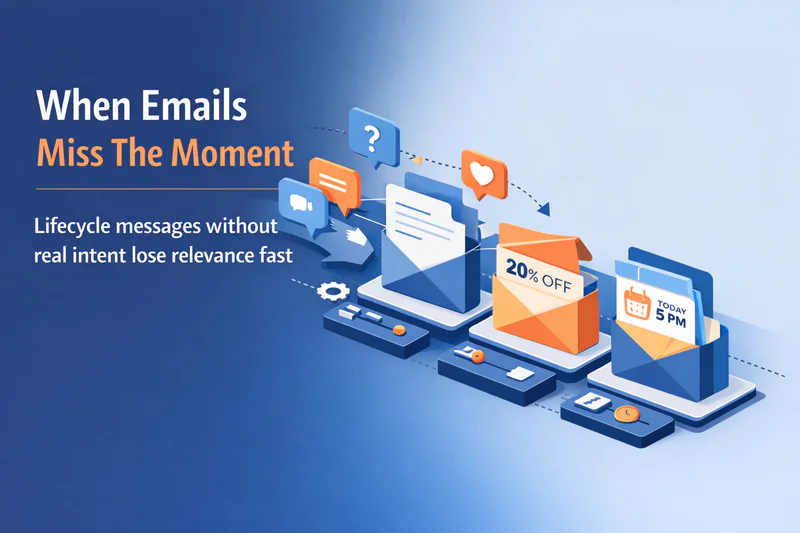
Most lifecycle emails are sent on autopilot. Customers, meanwhile, are anything but predictable.
Someone asks a nuanced question in chat. Another hesitates during onboarding. A third signals intent in a support conversation. And yet, minutes later, all of them receive the same lifecycle email, generic copy, fixed timing, zero awareness. That’s the quiet failure of lifecycle email marketing today.
Email isn’t broken. Our execution is.
When lifecycle emails ignore real-time conversation insights, they lose relevance fast. Open rates dip. Fatigue creeps in. Trust erodes. But when email listens, when it adapts to what customers are actively saying, it becomes something else entirely: a sequenced, contextual conversation that moves people forward with clarity and confidence.
In this article, we’ll focus on email as a primary lifecycle execution channel and show how dynamic orchestration, powered by real customer conversations, turns static lifecycle campaigns into precise, timely communication that actually earns attention.
What Lifecycle Email Marketing Really Means Today
Lifecycle email marketing is often described as a series of emails mapped to customer stages. Welcome. Onboarding. Re-engagement. Simple enough.
But that definition is outdated.
Modern lifecycle email marketing isn’t about ticking off stages. It’s about responding to momentum. Customers don’t move through a clean funnel anymore, they pause, loop back, ask questions mid-flow, and change their minds in real time. Your email strategy has to reflect that reality.
At its best, customer lifecycle email marketing works like this:
Emails evolve as customer intent evolves
Messaging reflects recent behavior, not old milestones
Each email assumes memory of what came before
Instead of sending isolated lifecycle emails, strong teams design lifecycle campaigns that feel connected. One message sets up the next. Timing adjusts based on engagement. Content reflects context.
The gap appears when lifecycle emails rely only on static triggers, signup completed, trial day seven, subscription expiring, while real intent is unfolding elsewhere in conversations.
That’s where things start to break. And it’s exactly why lifecycle email marketing needs more than workflows. It needs awareness.
Lifecycle Email Marketing Breaks Without Real-Time Insight
Lifecycle email marketing looks polished on the surface. The triggers fire. The copy reads well. The cadence feels reasonable.
And still, it underperforms.
Why? Because most lifecycle emails react to events, not intent. A user downloads a guide, so they get a follow-up. A trial hits day ten, so a reminder goes out. These signals matter, but they’re incomplete. The real story is often unfolding somewhere else.
Think about what teams miss when email runs in isolation:
A buyer raises objections in a chat conversation
A customer expresses confusion during onboarding
A prospect signals urgency in a support interaction
None of that context reaches the lifecycle email. So the message feels off. Too early. Too salesy. Or simply irrelevant.
Without real-time insight, lifecycle emails become guesswork. With it, they become responsive. Email stops pushing messages and starts continuing conversations and that shift changes everything.
Email as a Primary Lifecycle Execution Channel (and Why It Still Wins)
New channels show up every year. Email keeps its place.
Not because it’s familiar, but because it’s flexible.
Email works best when it remembers what happened before.
Email remains the strongest execution channel for lifecycle campaigns because it supports something most channels don’t: sequencing with memory. You can reference what happened before, adjust what comes next, and shape a narrative over time.
Here’s why email continues to anchor lifecycle email marketing:
It’s persistent: messages can be revisited when the timing is right
It’s personal: content can shift based on role, behavior, and context
It’s scalable: one system supports thousands of unique journeys
Chat is immediate. Push is interruptive. Social is fleeting. Email, when informed by real signals, becomes the connective tissue across the customer lifecycle.
The problem isn’t overusing email. It’s under-orchestrating it.
When email is treated as a standalone channel, it feels repetitive. When it’s orchestrated with real-time insight, it becomes a guided journey, one message leading naturally to the next.
Up next: how dynamic orchestration turns one-off emails into intelligent, sequenced communication.

From Blasts to Sequences: How Dynamic Orchestration Changes Everything
Most lifecycle emails are designed as single moments. One trigger. One message. One hoped-for action.
Dynamic orchestration changes that mindset completely.
Instead of asking, “What email should we send now?” orchestration asks, “What should happen next based on what the customer just did or said?” That shift is subtle, but powerful.
Here’s what dynamic orchestration enables in lifecycle email marketing:
Sequenced communication, not isolated sends
Adaptive timing based on engagement and hesitation
Message progression that builds clarity instead of repetition

For example, when a customer raises a pricing concern in chat, orchestration can guide a short email sequence:
First email: address the specific question
Second email: share a relevant use case
Third email: offer a clear next step
No blasting. No guessing. Just momentum.
This is how lifecycle emails become helpful instead of noisy. Fewer emails go out, yet each one carries more weight. And customers feel understood rather than targeted.
Next, let’s break down how real-time conversation insights directly shape email content, not just timing.
Using Real-Time Conversation Insights to Personalize Email Content
Personalization in lifecycle emails often stops at names and roles. That’s surface-level. Customers notice, and quickly tune out.
Real-time conversation insights go deeper. They capture why someone is acting, not just what they clicked.
When lifecycle email marketing is informed by live conversations, content becomes sharper and more relevant:
Intent signals guide what the email focuses on
Objections shape the language and examples used
Questions asked determine which content blocks appear
A customer who asks about integrations shouldn’t receive a feature overview. They need clarity. A customer expressing hesitation doesn’t need urgency, they need reassurance.
With conversation-driven insight, lifecycle emails can dynamically adjust:
Subject lines that reflect current concerns
Body copy that answers open questions
CTAs that match readiness, not pressure
This is how email stops feeling like a campaign and starts feeling like a continuation of a dialogue.
Next, we’ll clarify an important distinction that often gets blurred: omnichannel vs multichannel and why it matters for lifecycle email success.
Omnichannel vs Multichannel: Why This Distinction Matters for Email
Multichannel marketing sends messages across many platforms. Omnichannel marketing remembers what happened on each one. That difference shows up most clearly in email.
In a multichannel setup, lifecycle emails operate independently. A chat conversation ends. An email restarts the story from scratch. The customer notices the disconnect.
In an omnichannel approach, email behaves differently:
It reflects recent conversations from chat or support
It picks up where the last interaction left off
It avoids repeating information the customer already knows
Email becomes the channel that carries memory forward. It connects signals from across the journey and turns them into clear, timely follow-ups.
This is where lifecycle email marketing gains real leverage. Instead of adding more touchpoints, teams deliver continuity. And continuity builds confidence.
Up next, we’ll look at the most common mistakes teams make with lifecycle emails and how to avoid them before they lead to fatigue.
Common Mistakes Teams Make with Lifecycle Emails
Most lifecycle email problems don’t come from bad copy. They come from bad assumptions.
List of mistakes we see most often:
Over-triggering emails
Every action fires a message. Customers feel chased instead of guided.Ignoring conversational signals
Questions asked in chat or support never inform email follow-ups.Treating lifecycle emails as templates
Same content, same timing, same flow, regardless of intent.Measuring activity instead of progress
Opens and clicks look fine, but customers stall or disengage.
These issues compound quickly. More emails go out. Relevance drops. Fatigue sets in.
Lifecycle email marketing works best when fewer emails do more work, each one informed, intentional, and clearly connected to what the customer is experiencing right now.
Next, let’s close with how Zigment fits into building this kind of intelligent, fatigue-free lifecycle engagement.
Where Zigment Fits into Smarter Lifecycle Email Marketing
Effective lifecycle engagement requires real-time intelligence. Without it, even well-designed lifecycle emails drift out of sync with customer intent.
This is where Zigment comes in.
Zigment extracts context from live customer conversations, across chat, support, sales, and product interactions and turns those signals into orchestrated lifecycle actions. Instead of email operating in isolation, it becomes part of a connected system that listens first and responds with purpose.
With Zigment, lifecycle email marketing becomes more precise:
Emails are triggered by what customers are actually saying, not just static milestones
Sequences adapt based on hesitation, clarity, or readiness
Messaging stays relevant, reducing noise and member fatigue
The result is seamless omnichannel engagement, where email continues the conversation rather than restarting it. Fewer messages. Better timing. Clearer next steps.
Lifecycle email marketing doesn’t need more automation. It needs better awareness. When email is informed by real conversations, it earns attention and keeps it.