
Let me paint you a picture.
It's a Tuesday afternoon. Priya, a revenue operations lead at a mid-sized EdTech company, is staring at a Miro board covered in sticky notes and arrows. Her team spent six weeks building what she proudly calls their "lead qualification process workflow."
It is, honestly, a gorgeous thing color-coded, neatly boxed, every "if/then" accounted for. Marketing sends a lead, the CRM tags it, the SDR gets a Slack ping, someone books a call. Clean. Logical. Airtight.
Except it's completely falling apart.
Leads are slipping through cracks. An interested prospect who filled out a form on a Sunday evening and then messaged the company on Instagram Monday morning asking a very specific question about course pricing got a generic email three days later. By then, she'd enrolled with a competitor. The process workflow did its job. The customer never felt it.
Sound familiar? You're not alone and the problem isn't Priya's team. The problem is the fundamental architecture of how most organizations think about a work flow process.
Flowchart Was Never Designed for Feelings
Here's the thing about a traditional process workflow: it was built for a world where humans behave predictably. Step A happens, then Step B, then Step C. Beautiful in a textbook. Chaotic in reality.
Modern customer journeys don't move in straight lines. They spiral, pause, double back, and sometimes detour through three different channels in a single afternoon. Someone researches you on LinkedIn, fills a webform, replies to a WhatsApp nudge, and then goes cold for 10 days before suddenly asking a question that signals they're ready to buy right now. A rigid process and workflow management system the kind built on sequential if/then logic simply cannot read that room.
The data backs this up hard. According to research cited by Camunda in their 2025 automation survey, 72% of organizations say their automation cannot keep up with the rate of organizational change. And in the Microsoft Work Trend Index 2024, 68% of leaders admitted they struggle with the pace and volume of work. The workflows haven't failed. The architecture has.
So What's a "Digital Workflow" Actually Different?
When people talk about a digital workflow, they often mean "the same flowchart, but on a screen." That's not it. Not even close.
A true digital workflow is dynamic. It's event-driven. Instead of waiting for a human to tick a box and trigger the next step, it listens to signals real-time signals and responds to them intelligently.
Did the lead open an email at 11 PM? Did they spend six minutes on the pricing page? Did they ask a question in a chat that contained the words "how soon" and "team plan"? These are behavioral breadcrumbs, and a modern digital workflow is designed to pick them up and act on them before the moment passes.
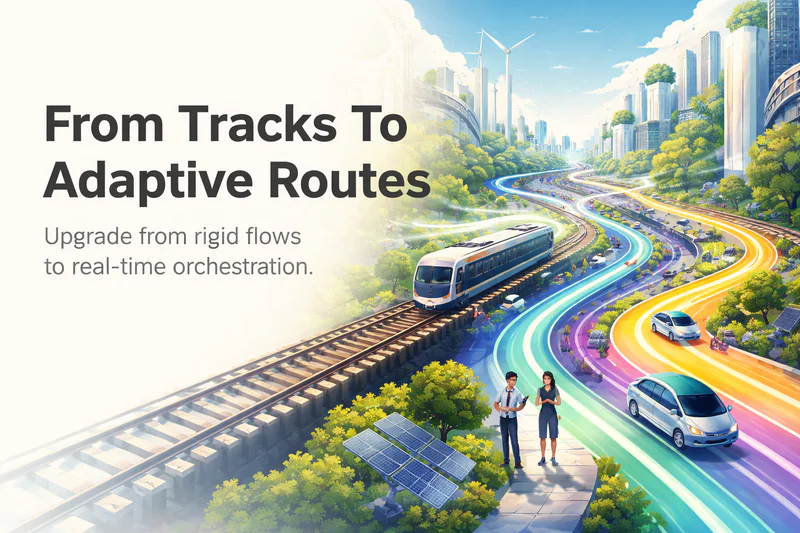
Think of the difference this way: a traditional process workflow is a train — it runs on fixed tracks, and if your customer isn't at the station at the right time, they miss it. A digital workflow is more like a rideshare it comes to where the customer is, adjusts its route in real time, and keeps driving even when the roads change.
The market has noticed. According to Mordor Intelligence's January 2026 report, the global workflow automation market was valued at $23.77 billion in 2025 and is projected to reach $40.77 billion by 2031 a 9.41% CAGR. That's not incremental growth. That's an industry collectively waking up to the fact that static process design has a ceiling.
The Automation Ceiling (And How You Hit It)
Most operations teams hit what I'd call the Automation Ceiling somewhere around year two of their digital transformation journey. They've automated the obvious stuff email sequences, CRM data entry, appointment reminders. The numbers look good. Then growth stalls.
Why? Because they automated tasks without automating context.
Here's a very real example of what this looks like in practice. A gym chain automates their lead follow-up: prospect fills a trial form, gets a welcome SMS, gets a reminder two days later, gets a call script pushed to the sales rep. Efficient! But when that same prospect had already sent a DM on Instagram saying "Hey, I have a knee injury is your personal training programme safe for me?", the automated workflow has zero awareness of it. The sales rep calls with a generic pitch. The prospect feels unseen. The lead dies.
This is talent dilution in action high-cost human specialists wasting their expertise on repetitive outreach and data-entry tasks, while the actually intelligent part of their job (reading a customer and responding with empathy) is undermined by a disconnected backstage process.
94% of companies are performing repetitive, time-consuming tasks that could be automated, according to data cited by Kissflow in their 2026 automation statistics roundup.
And IDC data shows 20–30% of annual revenue evaporates through re-keying, duplicated effort, and lost approvals. That's not a technology problem. That's a workflow architecture problem.
Automated Workflow Management
From Task-Firing to Intelligent Orchestration
Genuinely good automated workflow management doesn't just fire tasks. It orchestrates them keeping every moving part aware of what every other moving part is doing, and why.
The practical difference shows up immediately in high-touch industries. In EdTech, it's the difference between "student enrolled → send welcome email" and "student enrolled + showed stress signals in onboarding chat + has a payment plan + lives in a different timezone → assign a specific advisor, delay first check-in call by 48 hours, send lighter onboarding materials first." The trigger isn't just the enrolment event. It's the enrolment event in context.
The ROI case here is robust. Forrester's 2024 Total Economic Impact study on Microsoft Power Automate documented a 248% three-year ROI for a composite enterprise deployment, with payback periods measured in months. And according to data from Vena Solutions cited in multiple 2025 analyses, employees estimate automation could save them 240 hours per year while business leaders put that number even higher at 360 hours.
Those aren't hours spent doing nothing. They're hours redirected toward the 20% of work that actually requires a human: reading between the lines, building trust, handling exceptions with judgment.
The Stateful Layer Your Stack Is Missing
Here's where most workflow orchestration tools stop short: they're stateless. Each automation fires in isolation. The CRM doesn't know what happened in the chatbot. The scheduling tool doesn't know what mood the conversation was in before the meeting was booked. The email platform doesn't know the lead went cold because they felt rushed, not uninterested.
This is the gap that Zigment is built to close.
Zigment sits as a stateful intelligence layer above your existing systems of record your CRM, your helpdesk, your calendar tools. Using its Conversation Graph™, it maintains a persistent map of every interaction, intent signal, and contextual clue across the entire customer journey. When a lead asks a pricing question in a WhatsApp thread at 9 PM, the Conversation Graph™ doesn't just log it it updates the workflow state, triggers the right next action (say, surfacing a custom offer or routing to a specialist queue), and does it with sub-five-second response times.
The result is what you might call revenue-focused autonomous actions where the backstage operational machinery (qualification routing, scheduling, enrolment checks, follow-up sequencing) never loses the plot of the live customer conversation happening out front.
For operations teams managing high-touch workflows across gym chains, BFSI onboarding flows, or EdTech student journeys, this isn't a nice-to-have. It's the difference between a workflow that technically works and one that actually converts.
The Bottom Line
A process workflow tells your team what to do. An intelligent digital workflow tells your business when and how, based on what's actually happening not what you predicted would happen six weeks ago in a planning session.
The Automation Ceiling is real, and most teams hit it not because they lack tools, but because they lack context persistence across those tools. The 80% of operational tasks that should be automated lead qualification, appointment scheduling, prerequisite checks, follow-up sequencing are only safely automated when the system carrying them out understands the full picture of the customer it's serving.
That's not a flowchart problem. That's an orchestration problem. And in 2026, solving it is the most leveraged thing an operations team can do.