
A prospect opens your email.
Replies with a question.
Chats with your website bot that same afternoon.
Then goes quiet.
HubSpot logs every one of those touches. Timelines look busy. Reports look healthy. Yet your deal stalls.
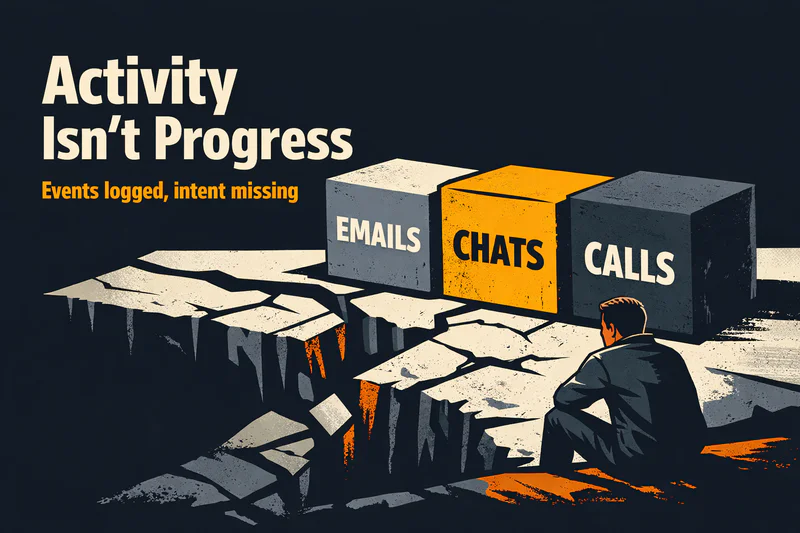
This is the gap we keep running into when teams rely on HubSpot alone to understand the customer journey. You can see activity, but you can’t see progress. You know what happened, but not where the buyer actually is.
And that blind spot is expensive.
We’ve seen RevOps teams with solid HubSpot marketing and automation still lose momentum because signals are scattered across email, WhatsApp, chat, sales calls, and support threads. The data exists. The meaning doesn’t.
In this article, we’ll break down exactly where the customer journey in HubSpot becomes invisible and what to do about it without ripping HubSpot out.
What HubSpot Sees vs. What It Can’t See in the Customer Journey
HubSpot is excellent at recording what happened. It was never built to judge what it means.
HubSpot gives you a lot.
It just doesn’t give you the whole picture.
What HubSpot Sees Clearly
Out of the box, HubSpot does a solid job capturing activity:
Contact timelines with emails, calls, meetings, and form fills
Campaign-level attribution reporting HubSpot teams rely on
First-touch and limited multi touch attribution HubSpot models
Revenue influence reporting through multi touch revenue attribution HubSpot
For HubSpot marketing, this is powerful. You can track which campaigns sourced pipeline, which emails drove clicks, and which ads created demand.
That visibility is real and useful.
What HubSpot Can’t See
Where things break is between those events.
HubSpot doesn’t understand:
Why a prospect replied “not now”
Whether silence means disinterest or internal approval delays
If urgency increased after a pricing call
How sentiment shifted across channels

Attribution tells you what influenced revenue.
It doesn’t tell you how the buyer moved through the journey.
A contact can look “highly engaged” in reports while actually being stuck, hesitant, or quietly disengaging. HubSpot records interactions, not intent. Events, not momentum.
The Sources You Need to Stitch for Real Customer Journey Analytics in HubSpot
If the customer journey lived entirely inside HubSpot, this problem wouldn’t exist.
But it doesn’t. And it hasn’t for years.
Where the Real Journey Data Lives
To get meaningful customer journey analytics HubSpot can’t produce on its own, teams need to stitch together signals from multiple systems:
Product usage data
Logins, feature adoption, drop-offs, and usage frequencyCustomer support and success tools
Tickets, escalations, CS notes, and sentiment cuesBilling and contract systems
Renewals, upgrades, downgrades, payment delaysData warehouses and BI layers
HubSpot Snowflake integration
HubSpot to BigQuery pipelines
Why Stitching Data Still Falls Short
Most teams stop at dashboards.
They build beautiful reports that answer:
“What happened last quarter?”
“Which channel performed best?”
“Where did deals drop off?”
Those insights help with planning.
They don’t help in the moment.
Customer journey analytics without real-time decisioning creates hindsight, not leverage. By the time insights surface, the buyer has already moved or left.
The Journey Questions HubSpot Can’t Answer on Its Own
Even with clean data and well-built workflows, there’s a moment where HubSpot simply runs out of judgment.
The Questions Revenue Teams Actually Need Answered
These are the questions we hear from RevOps, marketing, and sales leaders every week:
Should we follow up now or give the buyer space?
Is this silence a lack of interest or a sign of internal evaluation?
Did that email reply move the deal forward, or create friction?
Is this lead ready for sales, or still exploring quietly?
HubSpot isn’t designed to answer these. It reacts to events opens, clicks, submissions not to meaning.
Why Automation Breaks at the Edges
Marketing automation works best when behavior is predictable. Buyer journeys aren’t.
A prospect clicks three emails but hesitates on a pricing call
A buyer goes quiet on email, then reappears on WhatsApp
A champion is engaged, while procurement slows everything down
HubSpot can trigger actions.
It can’t interpret situations.
Workflows fire because a rule was met, not because the moment is right. Over time, this creates noise instead of progress and buyers feel it.
A Practical Playbook for Seeing the Full Customer Journey
Once journey state is clear, orchestration becomes possible. Not theoretical. Not heavy. Practical.
Below is a playbook we’ve seen work repeatedly for B2B teams running HubSpot at scale.
1. Centralize Conversations, Not Just Events
Start with what buyers actually produce: conversations.
Email replies
Chat transcripts
WhatsApp and SMS threads
Sales call notes
Treat these as signals, not logs. Capture tone, hesitation, urgency, and intent—not just timestamps.
2. Model a Small Set of Journey States
Avoid complex funnels. Keep it human.
Examples:
Actively evaluating
Interested but blocked
Waiting on internal alignment
Ready for a decision
These states should update continuously as new interactions arrive.
3. Decide First, Then Act
Make decisions once, centrally:
Should we follow up now?
Which channel fits this moment?
Does this need a human?
Then let HubSpot execute the action, email, task creation, routing, or suppression.
4. Orchestrate Across Channels
Buyers don’t care which tool you’re using.
Your system should:
Pause emails when a sales conversation is active
Switch channels when engagement shifts
Prevent overlapping outreach from multiple teams
Consistency builds trust.
5. Keep Humans in the Loop Where It Matters
Not every moment should be automated.
Use human judgment for:
High-value deals
Sensitive objections
Escalations or churn risk
Automation should support people, not replace them.
KPIs That Show Journey Health
Track what reflects momentum:
Time to first meaningful response
Quality of sales-ready conversations
Drop-offs after handoffs
Conversion from engaged to committed

Where Zigment Fits In
This is where Zigment comes into the picture.
Zigment sits on top of HubSpot, adding the layer HubSpot was never designed to be: stateful, decision-driven, and cross-channel by default.
At the core is a Conversation Graph that maintains persistent memory across every interaction. email, chat, WhatsApp, SMS, web, and app. Instead of treating each touch as isolated, Zigment understands how conversations evolve and what they mean in context.
On top of that, Zigment enables goal-driven planning and Next Best Action, so outreach adapts to buyer intent, hesitation, and momentum, not static rules. Enterprise teams also get governance, auditability, and human-in-the-loop controls where judgment matters.
For mid-market and enterprise teams running HubSpot, multiple sellers, multiple channels, and a RevOps leader accountable for pipeline speed, his leads to clear outcomes:
Higher qualified-lead and demo-booked rates
Faster, more relevant responses
Stronger retention through journey continuity
HubSpot executes the work.
Zigment keeps the journey intact.