
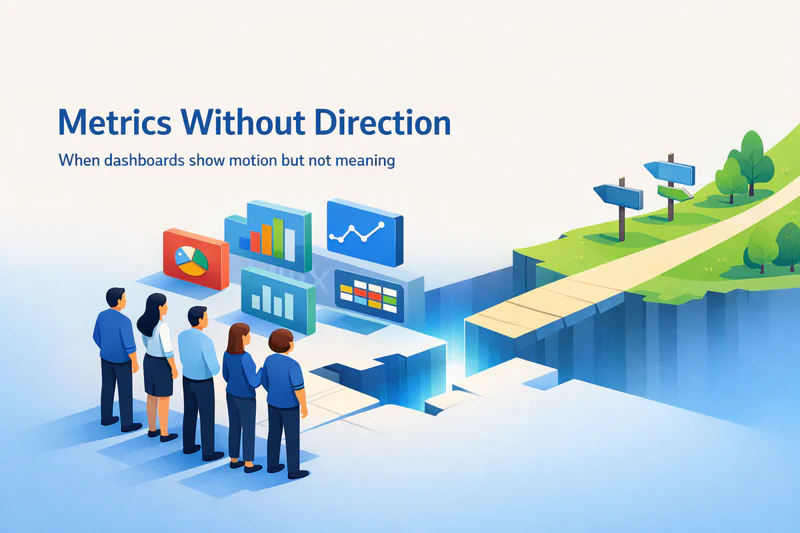
You know that moment when you're sitting in a Monday morning meeting, someone pulls up the HubSpot dashboard, and everyone nods knowingly at the colorful charts?
Open rates are up. Website traffic looks healthy. Pipeline value is trending in the right direction.
Then someone asks, "Okay, but what should we actually do differently this week?" and the room goes quiet.
That's the insight gap. And if you've felt it, you're in good company.
The problem isn't that HubSpot dashboards are bad they're quite good at what they're designed to do. The issue is that we've started expecting our reporting tools to think for us.
We stare at metrics hoping they'll reveal not just what happened, but what it means and what we should do next. Spoiler: they won't. And that gap between data and action is costing real money.
The "Insight Gap" Explained
Here's what the insight gap actually looks like in practice. Let's say you're running lead nurturing in HubSpot. You've built a workflow: when someone downloads your pricing guide, they get a three-email sequence over two weeks. Simple, logical, automated.
But here's what HubSpot can't tell you from the dashboard alone: that contact also visited your competitor comparison page twice yesterday, attended your webinar last month, and their colleague from the same company just filled out a demo form this morning.
Each of those data points exists somewhere in HubSpot different reports, different objects, different places. But your workflow doesn't know about the bigger picture. So it sends email two of three right on schedule, even though this person is clearly ready for a sales conversation now, not in five days.
The dashboard shows you atomic events. It doesn't connect the dots into a story that changes what you do. This isn't just frustrating it has measurable business impact.
Leads go cold while you're waiting for the next scheduled touchpoint. Buying committees move on to competitors who figured out the signal in the noise. Your team spends hours in weekly meetings trying to manually piece together what the data is telling them, time that could be spent actually closing deals.
From Charts to Decisions
Here's the uncomfortable truth: HubSpot and most CRMs and marketing automation platforms were built as systems of record, not systems of intelligence.
A system of record does exactly what it sounds like: it records things. Contact created. Email sent. Form submitted. Call logged. HubSpot reports and HubSpot custom reports excel at showing you this recorded history in increasingly sophisticated ways.
But recording history and making intelligent decisions are fundamentally different capabilities. True insight requires three layers that most HubSpot dashboards don't provide:
Context across channels. A contact might ignore your emails but engage heavily on WhatsApp. HubSpot tracks both, but your email workflow doesn't know to back off because someone's already in an active text conversation with sales. Each channel operates in its own silo. Your attribution reporting in HubSpot might show email touchpoints, but it can't tell you that those emails are now redundant because the real conversation is happening elsewhere.
Memory that persists. Standard HubSpot lead nurturing flows are stateless they follow a predefined sequence regardless of what happened three weeks ago in a different campaign.
If someone downloaded your ROI calculator in March, attended a webinar in April, and just returned to your pricing page in May, that entire narrative should inform the next interaction. Instead, most teams treat each touchpoint as independent, missing the bigger story of progressive engagement.
Decision architecture, not just measurement. The question isn't "How many people clicked?" It's "Given this click pattern plus that webinar attendance plus this account's buying committee structure, what's the highest-value action we should take right now?" HubSpot reporting dashboards show the ingredients. Decision systems cook the meal.
Orchestration vs. Automation
Most teams think they have orchestration when they really have automation. Here's the difference, and why it matters for your revenue operations:
Automation executes predefined tasks based on triggers. "When someone downloads the pricing guide, send email sequence A." It's efficient, scalable, and entirely reactive to specific events. Your HubSpot marketing automation excels at this.
Orchestration coordinates multiple systems and channels based on goals and context. "This person downloaded pricing, visited the Salesforce vs HubSpot comparison page three times in one day, and their company just expanded route them to the enterprise sales team, pause the standard nurture, and send a personalized message that references their specific use case and competitive evaluation timeline."
Automation is stateless it forgets. Orchestration is stateful it remembers and adapts. HubSpot marketing automation is powerful automation. But without an orchestration layer on top on HubSpot , it can't bridge the insight gap.
What Decision-Ready Actually Looks Like
So what does "decision-ready" mean in practice? Here are three components that consistently move the needle:
1. Unified contact timeline. Instead of separate HubSpot reports for email engagement, web visits, chat transcripts, and WhatsApp conversations, you need a single chronological view.
This isn't about HubSpot reports add-ons it's about stitching together every signal into one narrative.
When your AE opens a contact record, they should see: "This person researched pricing on mobile Tuesday, asked about implementation timelines via chat Wednesday, and their CFO just visited the security page Thursday morning." That's a buying committee activating, not random data points.
2. Propensity scores with expiration dates. Not all "hot leads" stay hot. A contact who was 87% likely to book a demo on Friday might be 34% likely by Monday if you didn't act.
Build scores that decay with time and change based on competitive signals. If someone who was in slow nurture mode suddenly visits your competitor comparison page three times in one day, that's not incremental interest—it's evaluation mode.
Your next action should reflect urgency, not the original nurture sequence.
3. Prescribed next actions, not observations. This is where most teams stop short. They'll segment contacts in HubSpot custom reports, maybe even score them, but the dashboard still just shows "248 high-intent contacts."
Okay should sales call them? Email? Wait? A decision-ready system says: "Contact Rachel Lee, Director of Marketing at Acme Corp.
She consumed three pricing-related assets this week. Recommended action: Personal video from AE mentioning her webinar question about multi-currency support.
Best contact window: 2–4 PM ET based on engagement history."
See the difference? One gives you a number to look at. The other tells you exactly what to do.
Where Stateful Orchestration Fits
The companies escaping the insight gap don't abandon HubSpot they layer intelligence on top of it. They build what's called a "memory and planning layer" that tracks long-running conversations across every channel and decides what to do next based on goals, not just triggers.
This is where solutions like Zigment come in. Rather than replacing your HubSpot marketing and sales infrastructure, Zigment adds a stateful, agentic layer with three core capabilities:
Persistent memory via a Conversation Graph that tracks every interaction across channels email, SMS, WhatsApp, web chat, voice—building a true journey view instead of fragmented touchpoints.
Goal-driven planning and Next Best Action recommendations that go beyond "if/then" rules to actual decision-making. For example: "This contact is price-sensitive and technical; de-prioritize feature marketing, emphasize ROI and security content."
Omnichannel continuity so a conversation that starts via web chat can seamlessly continue over email, WhatsApp, or SMS without context loss or repetition.
For mid-market to enterprise B2B teams especially those with 10+ sellers or CSMs juggling multi-channel engagement this approach delivers measurable outcomes: higher qualified-lead rates, faster first response times (often sub-5 minutes across channels), and better retention because customers aren't re-explaining their needs every interaction.
Critically, it includes enterprise governance and human-in-the-loop controls, so your HubSpot revenue operations leader can enforce policy, maintain audit trails, and gradually expand automation without losing oversight. You're not choosing between control and speed you're designing for both.
The Bottom Line
Your HubSpot dashboards aren't going to close the insight gap on their own.
They'll keep showing you data good data, useful data. But data only creates value when it turns into the right action at the right moment with the right context.
That transformation from observation to orchestration, from recording history to driving outcomes requires a layer of intelligence that sits between your data and your decisions.
The companies that figure this out don't just have better reports. They have faster response times, more personalized experiences, and revenue teams that spend less time reconciling data and more time building relationships.
Because at the end of the day, nobody gets promoted for having pretty charts. They get promoted for revenue. And revenue comes from doing the right thing at the right moment not from knowing what happened last Tuesday.
The insight gap is real. But it's solvable. And the solution isn't better dashboards it's smarter orchestration.