
Your HubSpot dashboards look busy.
Workflows are firing.
Emails are going out.
And yet, deals slow down.
Leads respond on WhatsApp after clicking an email. Sales follows up without seeing the conversation. Marketing keeps nurturing someone who already spoke to an SDR yesterday. Nothing is technically broken, but momentum is.
That’s the quiet failure of modern HubSpot workflows. They execute rules perfectly, while context leaks everywhere else.
We’ve worked with teams running 50, sometimes 100+ workflows, all designed with good intent. The result is complexity without coordination. Speed without direction. Activity without progress.
In 2026, winning teams stop asking, “Which workflow should fire?”
They ask, “What should happen next, for this buyer, right now?”
This playbook shows how to make that shift, on top of HubSpot, not instead of it.
The Problem: Why HubSpot Workflows Break in the Real World
Let’s be clear about where things start going wrong, not in strategy decks, but in day-to-day execution.
Stateless systems can’t manage emotional journeys.
Most teams rely heavily on HubSpot workflows and HubSpot automation workflows to manage growth. At first, it works. A lead fills a form. An email goes out. A task gets created. Clean. Predictable.
Then reality shows up.
Where the cracks appear
Workflows are stateless
Each workflow runs in isolation. It doesn’t remember what happened five minutes ago on another channel, or what Sales just said on a call.Channels don’t talk to each other
Email logic lives in Marketing. WhatsApp or SMS lives elsewhere. Sales actions sit outside automation entirely.Sequences vs workflows create confusion
Teams debate HubSpot sequences vs workflows internally, while the buyer experiences duplicated follow-ups, awkward timing, or silence.Edge cases become the norm
Every “what if” adds another branch. Another exception. Another fragile dependency.
The familiar failure pattern
Leads get touched, but not moved
Sellers lose context mid-conversation
RevOps spends more time fixing logic than improving pipeline speed
The painful truth?
Your workflows aren’t broken. They’re just solving the wrong problem.
Automation handles steps. Journeys need decisions.
That gap is where revenue quietly leaks.
Why This Matters: Revenue Leaks Hide Between the Steps
On paper, many HubSpot workflows examples look solid. Clear triggers. Logical branches. Well-timed emails. But revenue doesn’t move on paper, it moves through real buyer behavior, and that’s where cracks turn costly.
The real impact teams underestimate
Slower first response times
When context is split across tools, replies lag. Minutes turn into hours. Hours turn into lost intent.Misaligned follow-ups
Marketing automation HubSpot programs keep nurturing while Sales is already engaged, creating mixed signals.False confidence in activity metrics
Opens, clicks, and workflow completion look healthy, yet demos don’t get booked.
Teams invest heavily in marketing automation with HubSpot, expecting scale to unlock growth. Instead, scale amplifies friction.
RevOps leaders feel this most. Pipeline velocity slows. Forecasts stretch. Everyone is “busy,” but fewer deals move forward with momentum.
The takeaway is simple and uncomfortable:
Automation optimizes execution. It doesn’t protect outcomes.
And outcomes, qualified conversations, faster decisions, retained customers are what growth actually depends on.
What Teams Commonly Try and Why It Keeps Failing
When results stall, most teams don’t rethink the model. They add more logic.
The usual fixes
More lead nurturing in HubSpot
Additional email tracks, tighter segmentation, longer drip sequences.Channel-specific optimization
Polishing HubSpot email marketing while WhatsApp, SMS, or chat run separately.Heavier lifecycle gating
More rules to decide who goes where, and when.
On the surface, this feels responsible. Activity increases. Coverage improves. Nothing slips through the cracks at least in theory.
Why this approach breaks down
Lead nurturing happens per channel, not per buyer
Context resets when someone replies outside email
Sales and Service actions remain invisible to Marketing logic
So teams double down again. More workflows. More branches. More exceptions.
At that point,HubSpot marketing becomes a web of automation no one wants to touch. Every change risks breaking something else.
The result isn’t scale.
It’s noise.
Buyers don’t feel guided. Teams don’t feel confident. And RevOps spends its time managing complexity instead of accelerating revenue.
A Better Way: From HubSpot Automation to Orchestration
This is where high-performing teams change the question.
They stop asking how to improve HubSpot marketing automation and start asking how to coordinate decisions across the entire journey.
What orchestration actually means
Orchestration is not more workflows.
It’s a different operating model.
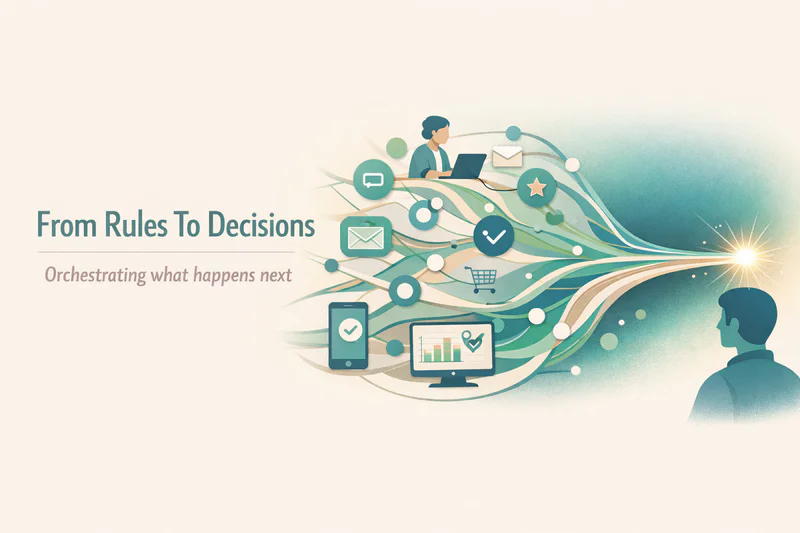
From rules to decisions
Instead of “if this, then that,” the system decides the next best actionbased on live context.From stateless to stateful
Every interaction updates a shared memory of the buyer across email, chat, WhatsApp, SMS, sales calls.From single-channel to omnichannel
One intent. One plan. Many channels.
This shift directly impacts HubSpot lead generation and pipeline speed. Leads don’t just get touched they get guided.
Where HubSpot fits
HubSpot remains critical:
System of record
CRM, workflows, reporting
Execution engine for actions
What it doesn’t do natively is reason across channels in real time. That’s not a flaw, it’s a design boundary.
For revenue operations HubSpot teams, orchestration fills that gap without ripping anything out.
The takeaway is straightforward:
Automation executes. Orchestration decides.
And decisions are what move revenue forward.
How to Start: A Practical 2026 Playbook on HubSpot
You don’t need a rebuild. You need a reset in how journeys are designed and governed.
Here’s a clean way HubSpot revenue operations teams are starting the shift.
Step 1: Map journey states, not lifecycle stages
Replace rigid stages with states like exploring, evaluating, waiting, blocked
States change based on behavior, not internal definitions
Step 2: Define Next Best Actions by role
Marketing: educate or pause
Sales: follow up, wait, or escalate
Service: support, retain, or expand
Each action should have intent, timing, and ownership.
Step 3: Centralize rules that matter
Consent and suppression
Frequency caps
Deal-stage-sensitive messaging
This reduces duplication across HubSpot revops workflows and keeps teams aligned.
Step 4: Keep humans in the loop
High-value moments deserve review. Orchestration supports judgment, it doesn’t replace it.
The goal isn’t fewer actions.
It’s fewer wrong ones.
Measure and Iterate: Metrics That Reflect Real Progress
Journey metrics reveal truth faster than dashboards.
If you measure workflows, you’ll optimize workflows.
If you measure journeys, you’ll improve revenue.
That distinction matters more than ever for HubSpot revenue operations teams.
Metrics worth tracking
First response time across channels
Not just email. Include WhatsApp, SMS, and chat.Next-action latency
How long it takes to move from one meaningful step to the next.Qualified lead to demo rate
A clearer signal than opens or clicks.Journey drop-offs between tools
Where context disappears, momentum usually follows.Retention and re-engagement signals
Early indicators of long-term growth.

These metrics reveal how well your system coordinates, not just how busy it is.
The strongest teams review them weekly, not quarterly. Small adjustments compound quickly when decisions stay connected.
Execution creates activity.
Coordination creates momentum.
Where Zigment Fits In
Once teams accept that automation alone can’t carry modern journeys, the next question is obvious: how do we orchestrate without rebuilding everything we’ve already invested in?
This is where Zigment comes in.
Zigment adds astateful, agentic layer on top of HubSpot, designed specifically for teams that have outgrown rule-based automation but don’t want to abandon it.
Here’s what that looks like in practice:
Persistent memory through a Conversation Graph
Every interaction, email replies, WhatsApp messages, chat, sales activity, updates a shared understanding of the buyer.Goal-driven planning with Next Best Action
Instead of firing rules, Zigment evaluates intent and decides what should happen next, and who should own it.True omnichannel continuity
Journeys stay intact across web, app, email, SMS, and WhatsApp, without duplicating logic per channel.Enterprise-grade governance
Policy enforcement, auditability, and human-in-the-loop controls are built in, not bolted on.
For mid-market to enterprise B2B teams running HubSpot, especially those with 10+ sellers or CSMs, this changes outcomes fast. Faster first responses. Higher qualified-lead and demo-booked rates. Better retention through consistent, contextual engagement.
HubSpot remains your system of record and execution engine.
Zigment becomes the brain that keeps every move connected.
In 2026, growth doesn’t come from more workflows.
It comes from knowing what to do next and doing it together, across every channel.